
Replace legacy FTP infrastructure with a secure, traceable and encrypted platform.
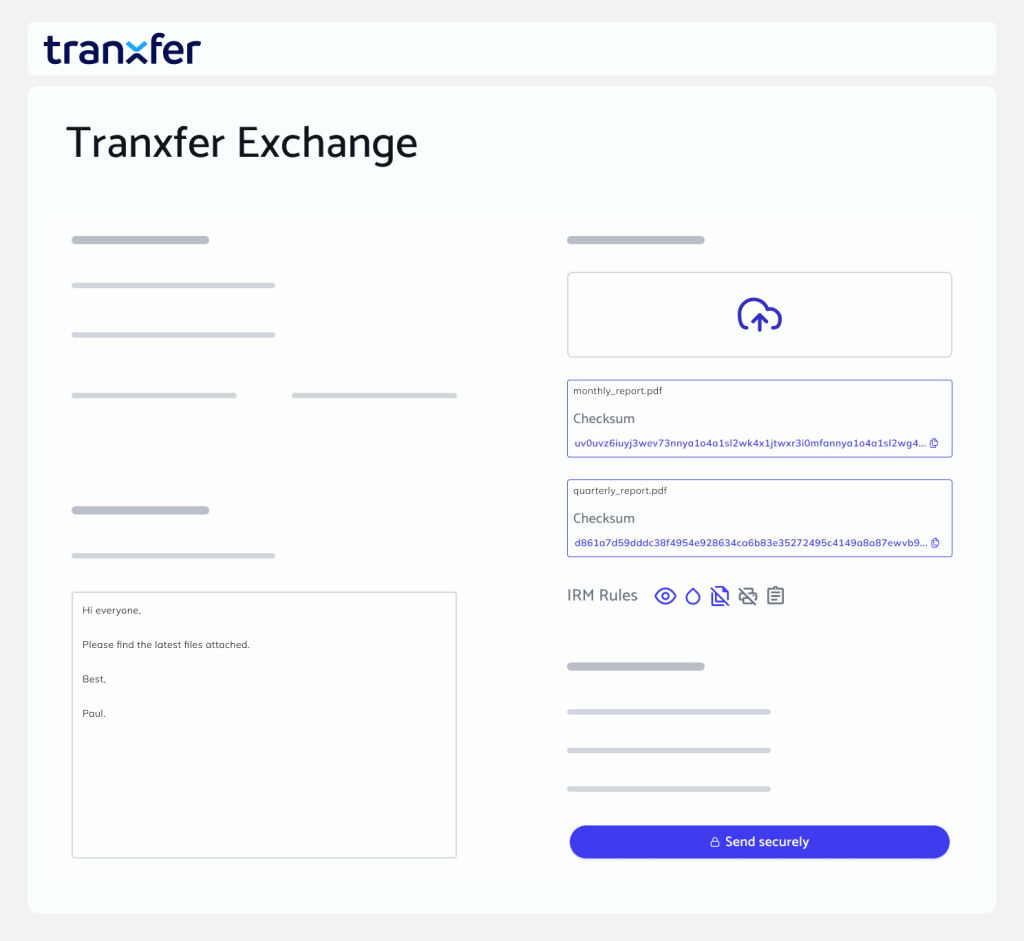








Tranxfer replaces FTP with a modern and secure cloud architecture.


Platform with SFTP, FTPS, HTTPS, REST API and centralised management.


User configuration and granular permissions.

Flow configuration.
Continuous monitoring and auditing.

Centralised reporting and visualisation.
S3,Azure, AWS, GCP.

Tranxfer protects files using end-to-end encryption directly within the browser to ensure security, thereby ensuring that files and the information they contain remain inaccessible to third parties at all times. Key features include an antivirus module updated up to three times a day and its DLP system, which allows users to configure various rules to prevent data leaks.
Tranxfer is available in three different deployment options. The first and fastest option is through the purchase of licences deployed on our public Tranxfer cloud (hosted on Google Cloud), in a dedicated cloud environment for the customer, or on-premises, integrating with the customer’s existing corporate and security systems.
Tranxfer can be deployed on Google Cloud Platform, Microsoft Azure and Amazon Web Services.
Tranxfer uses end-to-end encryption via the browser with an HTTPS certificate. All data traffic is transmitted using SSL/TLS certificates. Data is encrypted both in transit and at rest using the AES-256 standard.
Tranxfer can be adapted to match your company’s look and feel by incorporating logos, typography, corporate colours and background images. The level of customisation depends largely on the deployment model and incurs an additional cost.